Your places, at a glance
See the best upcoming days for My Location and three saved destinations with Free. Pro gives you room for up to ten saved destinations.
Weather feels different to everyone. Choose the conditions you enjoy, then make room for a walk, a little gardening, or an afternoon outdoors.
Download on the App StoreFree for iPhone, with optional Pro. Available in the United States.
Look for a comfortable stretch, with rain and wind considered.
A forecast tells you the temperature. Perfect Day helps you understand how the day might feel to you, using your preferences for temperature, dew point, rain and wind.
See the weather behind the score. Calm hourly bars show comfort at a glance, with temperatures and condition icons beside each hour. Switch from Score to Details to see how the weather contributes. Select an hour for exact values, or open the compact hourly table. Daylight hours appear first, with other hours a scroll away.
Real screens from the app, using live Apple Weather for Knoxville, Tennessee.
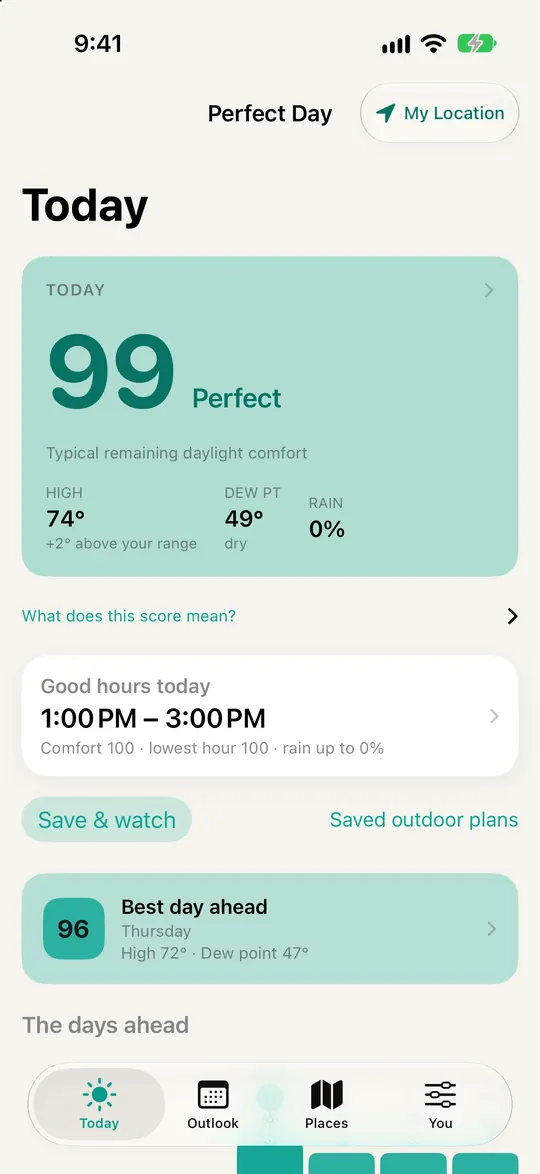
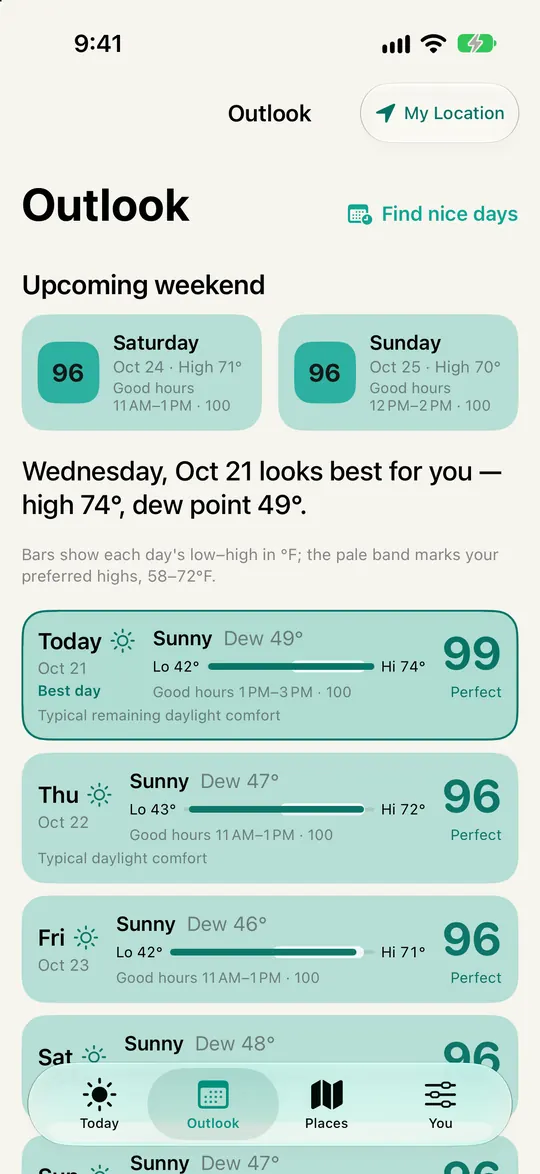
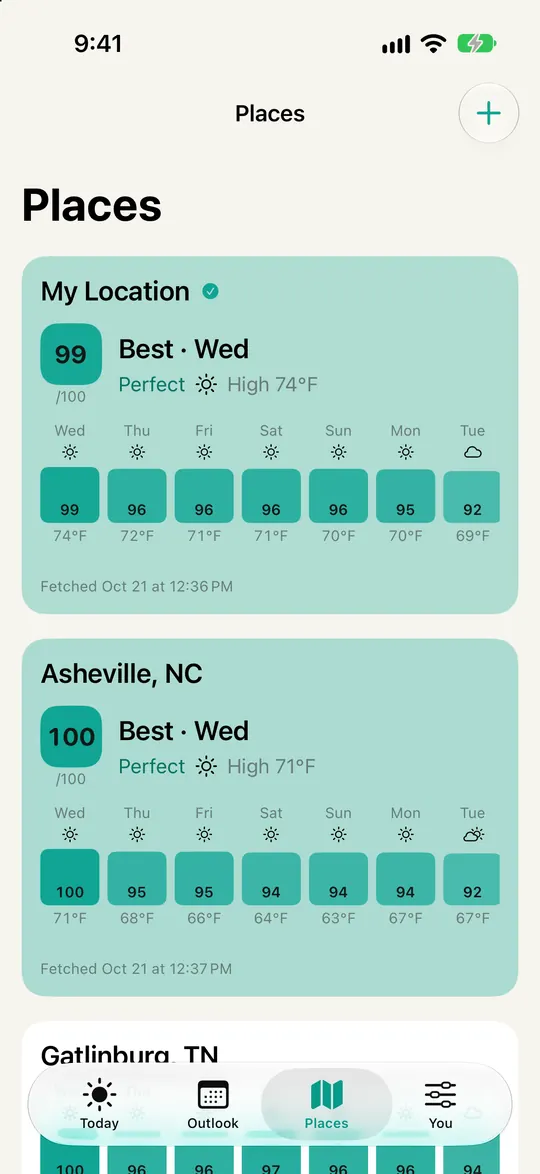
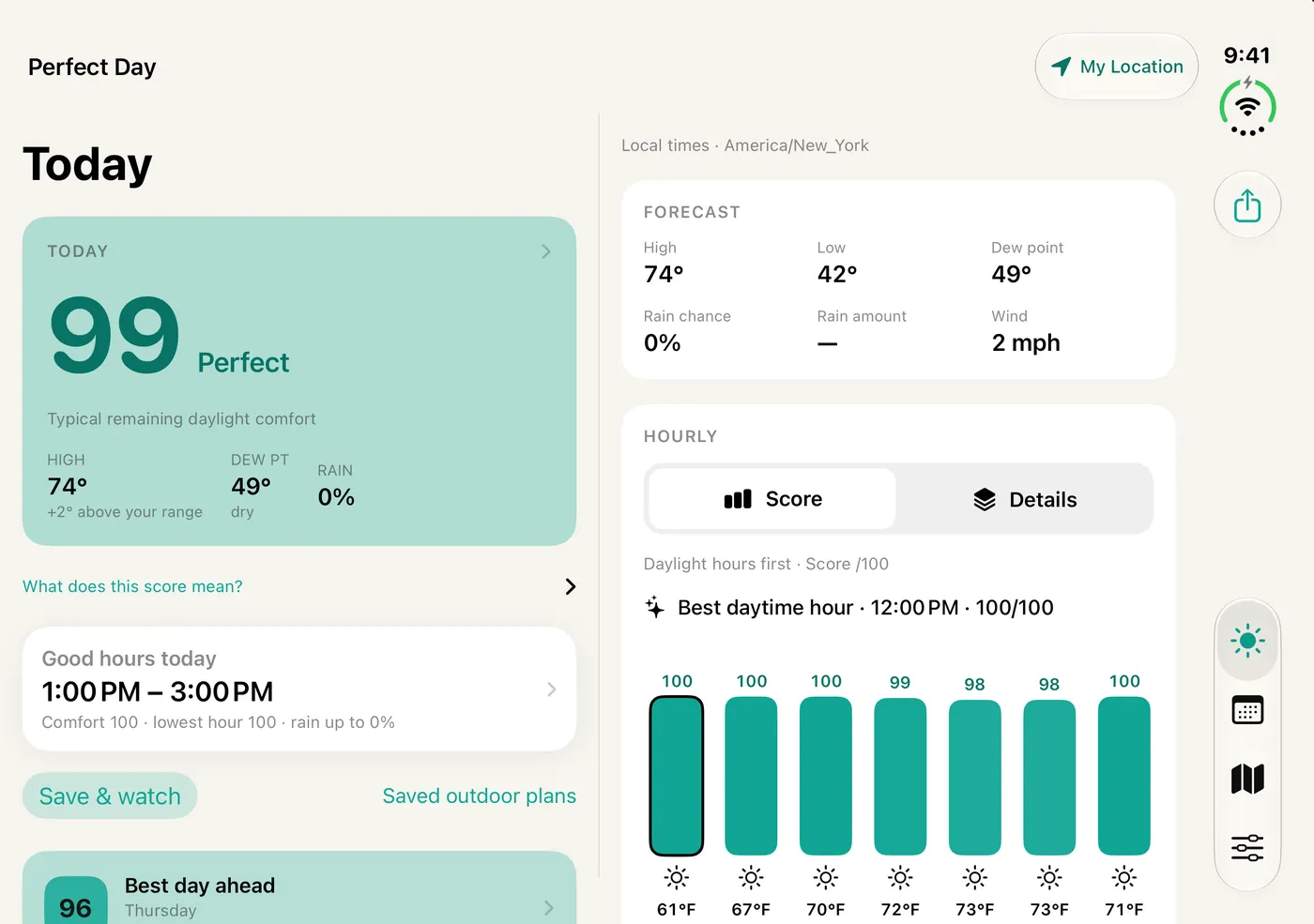
See the best upcoming days for My Location and three saved destinations with Free. Pro gives you room for up to ten saved destinations.
Tune the conditions you enjoy. Personal comfort scores help you spot a good day without working through every weather number.
Find two comfortable hours today or tomorrow with Free. When you want to look further ahead, Pro ranks any day, compares places for a date or weekend, and keeps your plans.
Find the days you like, then choose time outside that suits your plans.
Subscription options and localized prices will be shown in the app before purchase.
Refreshes share a daily allowance across places. Previously loaded forecasts remain available until they expire. They may become stale before another refresh is eligible. Background checks depend on time granted by iOS and do not guarantee immediate notifications. Comfort scores reflect personal preferences and are not safety advice.
Subscriptions renew automatically unless canceled at least 24 hours before the current period ends. Manage or cancel in Apple Account settings. See Apple’s standard terms of use.